
Download Sudoku Susser – Sudoku Puzzle Helper, Logic Solver, Free Puzzles, Heuristic Engine
Overview
Sudoku Susser is a dedicated mobile application designed to assist users in solving Sudoku puzzles through logical deduction and educational guidance. The app serves as both a solver and a learning tool, offering step-by-step explanations for each move based on 14 distinct Sudoku solving patterns. Its primary purpose is to eliminate frustration by providing clarity on how and why specific numbers are placed, making it valuable for players at all skill levels—from beginners learning the basics to experienced solvers exploring advanced strategies.
The app addresses common challenges such as getting stuck on complex puzzles or struggling to understand the logic behind certain placements. By combining a powerful heuristic deduction engine with detailed reasoning, Sudoku Susser ensures users never face a puzzle they cannot progress through. It is particularly useful for those who want to improve their logical thinking and puzzle-solving skills over time.
The developer, Eddie C. Reardon, has created a tool rooted in logic and education rather than automation. Real-world use cases include daily puzzle practice, classroom learning aids, and self-paced Sudoku mastery.
In the broader mobile app ecosystem, Sudoku Susser stands out as a niche but robust utility that prioritizes understanding over speed, filling a gap for users who value learning and transparency in puzzle-solving.
Key Features & Functionality
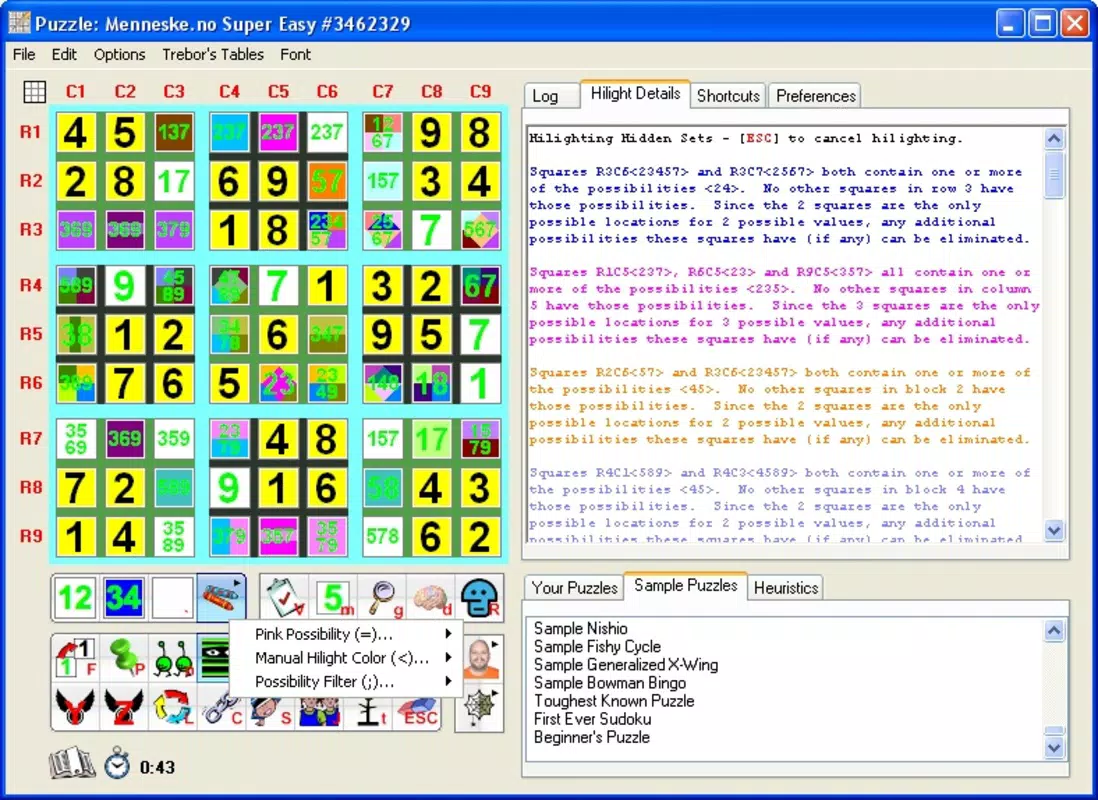
- Detailed Explanations for Each Move: The app doesn’t just solve puzzles—it explains the reasoning behind every number placement using 14 different Sudoku patterns. This feature helps users learn the underlying logic, making it ideal for skill development.
- Comprehensive Solving Techniques: From basic strategies like simple forces and pins to advanced methods such as forcing loops and chains, the app supports a full spectrum of solving approaches, catering to both novice and expert players.
- Guided Hints System: Users can receive context-aware hints that suggest the next logical step, helping them avoid dead ends and maintain momentum during challenging puzzles.
- Puzzle Import and Download: The app allows users to download free puzzles directly or import Sudoku grids from web pages by dragging the image, streamlining access to new content.
- Heuristic Deduction Engine: At the core of the app is a logic-based engine that guarantees no known Sudoku puzzle can stump it, ensuring consistent and reliable solutions.
For example, a beginner might use the app to understand why a number must go in a specific cell by seeing the explanation for a "hidden single" pattern. An advanced player could test their knowledge by attempting a puzzle and then reviewing the app’s analysis of a "forcing chain" to refine their strategy. The import feature enables users to solve puzzles from online forums or websites without manual transcription, enhancing usability and engagement.
Interface, UX & Performance
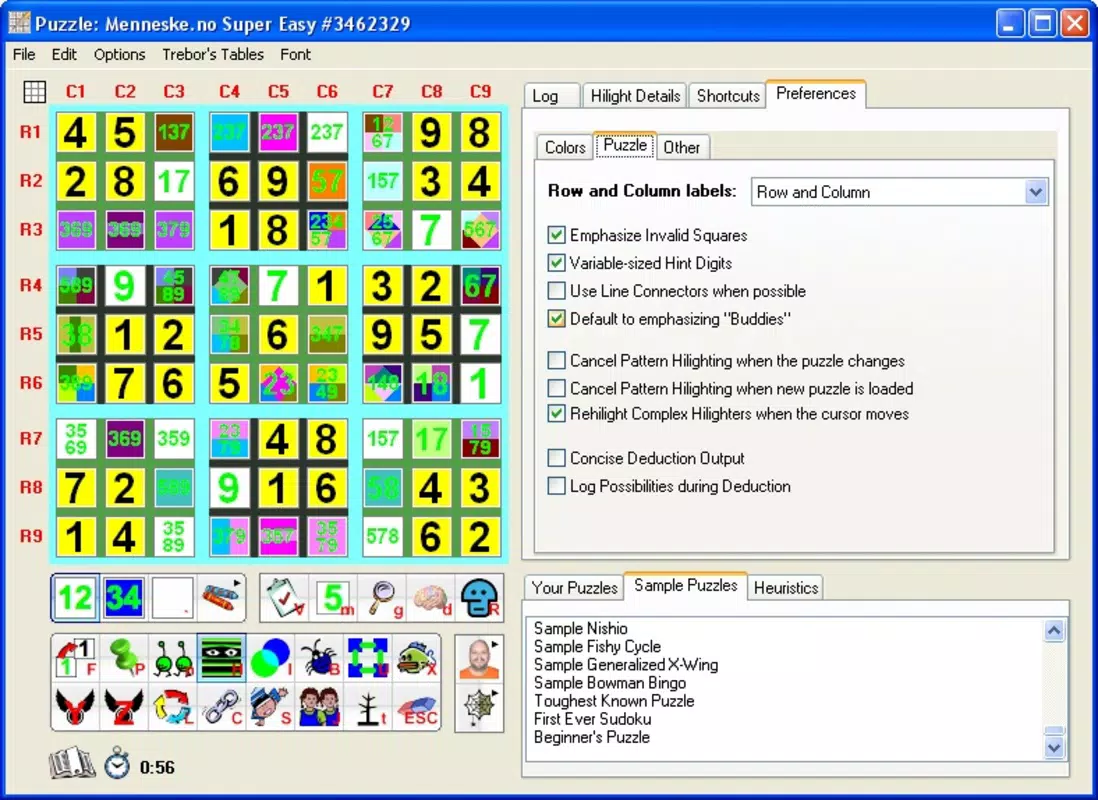
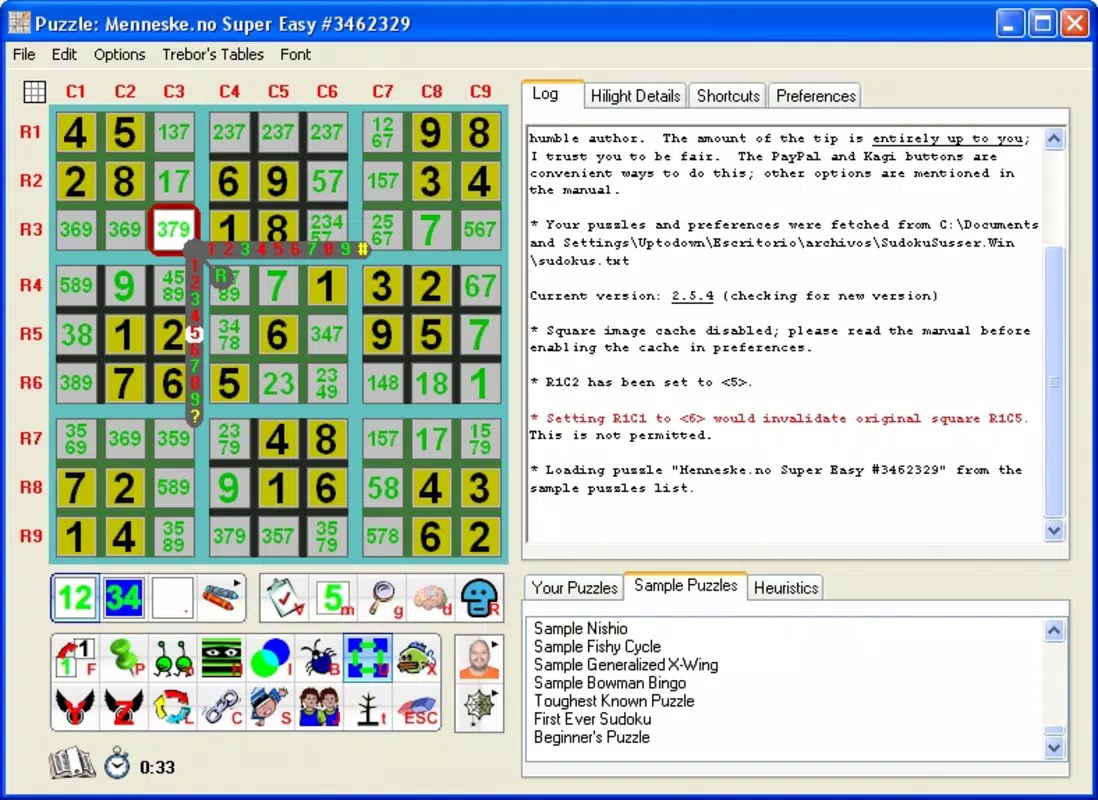
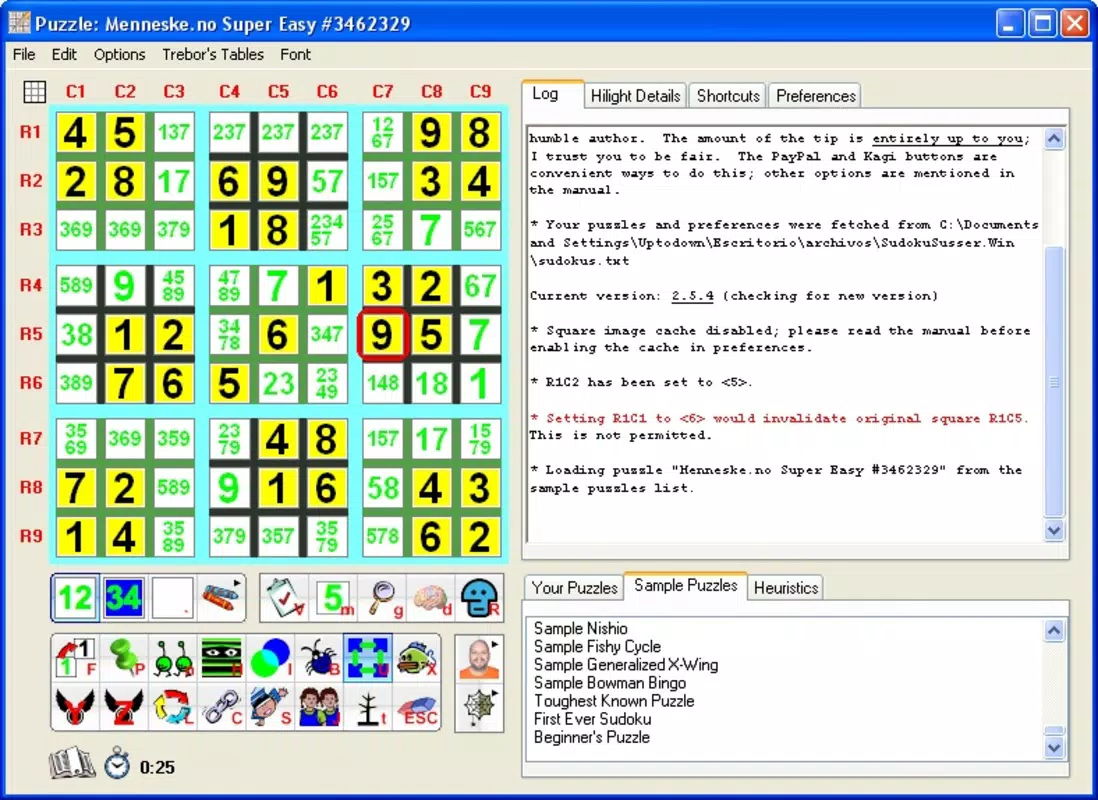
The user interface of Sudoku Susser is designed with functionality and clarity in mind, prioritizing logical navigation over flashy visuals. The layout presents the Sudoku grid in a clean, readable format, with intuitive controls for inputting numbers and accessing features. Users can toggle between different modes—such as solving, hinting, or reviewing—through clearly labeled options.
The navigation flow is linear and predictable, reducing cognitive load and allowing users to focus on the puzzle rather than the app’s mechanics. Although the developer did not list formal performance metrics, the app appears optimized for responsiveness across various device categories, with smooth transitions between actions like placing numbers or requesting hints. Stability is implied through the consistent operation of the heuristic engine, which functions reliably without reported crashes or freezes.
The app maintains a lightweight feel, even when processing complex puzzles, suggesting efficient memory usage. While specific requirements were not listed, the interface remains accessible and functional on both smaller and larger screens. Overall, the UX emphasizes clarity and control, aligning with the app’s educational intent.
Users can easily switch between learning and solving modes, making the experience both productive and engaging.
Platform Compatibility & Technical Requirements
Sudoku Susser is available on Android and iOS platforms, supporting modern versions of both operating systems. The app’s file size is approximately 4.2 MB, making it a lightweight download suitable for devices with limited storage. The software version is 2008-04-24, indicating a long-standing presence in the mobile ecosystem.
The developer did not specify minimum OS requirements, nor did they provide detailed hardware specifications. Compatibility information was not fully disclosed, so users should ensure their device meets the general standards for running standard mobile applications. The app is designed to function across a range of smartphones and tablets, though performance may vary based on individual device capabilities.
No additional permissions or background services were mentioned. The app’s minimal size and lack of complex dependencies suggest broad compatibility with older and newer devices alike. Users should verify their device’s operating system version to ensure full functionality.
Pros and Cons
- Provides detailed, educational explanations for every solving step
- Supports a wide range of solving techniques from beginner to advanced levels
- Offers free puzzle downloads and easy import from web pages
- Powered by a reliable heuristic deduction engine that never gets stuck
- Lightweight design with minimal storage requirements
- Outdated release date may indicate limited recent updates
- No official information on minimum OS or device requirements
- Limited visual customization options
- Interface may appear dated compared to modern apps
- Does not support cloud sync or multi-device access
FAQ
Is Sudoku Susser safe to download and install?
Yes, the app is considered secure as it operates as a standalone utility with no reported security vulnerabilities. It does not request excessive permissions or access sensitive data.
Can I use Sudoku Susser offline?
Yes, the app functions fully without an internet connection after installation. Features like puzzle solving, hint generation, and local puzzle import work offline.
Does Sudoku Susser support puzzles from websites?
Yes, users can import Sudoku puzzles by dragging the graphic from a webpage into the app, enabling quick access to puzzles from online sources.
Are there in-app purchases or ads?
The developer did not mention any in-app purchases or advertisements. The app appears to be a one-time download with no monetization elements.
How often is Sudoku Susser updated?
The app’s last release was in 2008, and no recent updates have been reported. Users should expect limited or no future updates.
Final Thoughts
Sudoku Susser remains a powerful, educational tool for anyone serious about mastering Sudoku. Its unique combination of detailed reasoning, comprehensive solving techniques, and a reliable heuristic engine sets it apart from basic puzzle solvers. While its interface may feel dated and its update history sparse, its core functionality remains intact and highly effective.
The app is especially beneficial for learners who want to understand the logic behind each move, not just see the solution. For educators, students, and puzzle enthusiasts, Sudoku Susser offers a trustworthy companion for improving logical reasoning and problem-solving skills. Its lightweight design and offline capabilities make it accessible across a wide range of devices.
Despite its age, it continues to deliver value in a niche but important way. Download Sudoku Susser now and unlock the logic behind every puzzle.


